How to use Toshokan
Toshokan has two halves that lean on each other: a reader built for looking closely at a text, and a writing surface built for saying something about it. This is the long version — every panel, every gesture, and the things you would otherwise only find by accident.
New here? Start with what Toshokan is.
Getting your bearings
Four places, and everything else hangs off them.
The reader. Ten translations, the Strong's lexicon, and the verse actions that push a passage into your notes.
Where you write. A real editor, with scripture blocks you can drop in by typing a reference.
Published studies — yours and other people's — plus series that string several studies together.
Bookmarked studies and the verses you have highlighted, in one list.
On the web these live in the left rail. On a phone the same four sit in the bar along the bottom, with the rest tucked under More.
The Reader
A chapter of scripture, set like a page rather than a spreadsheet. Everything else in the reader is arranged so it stays that way until you ask for more.
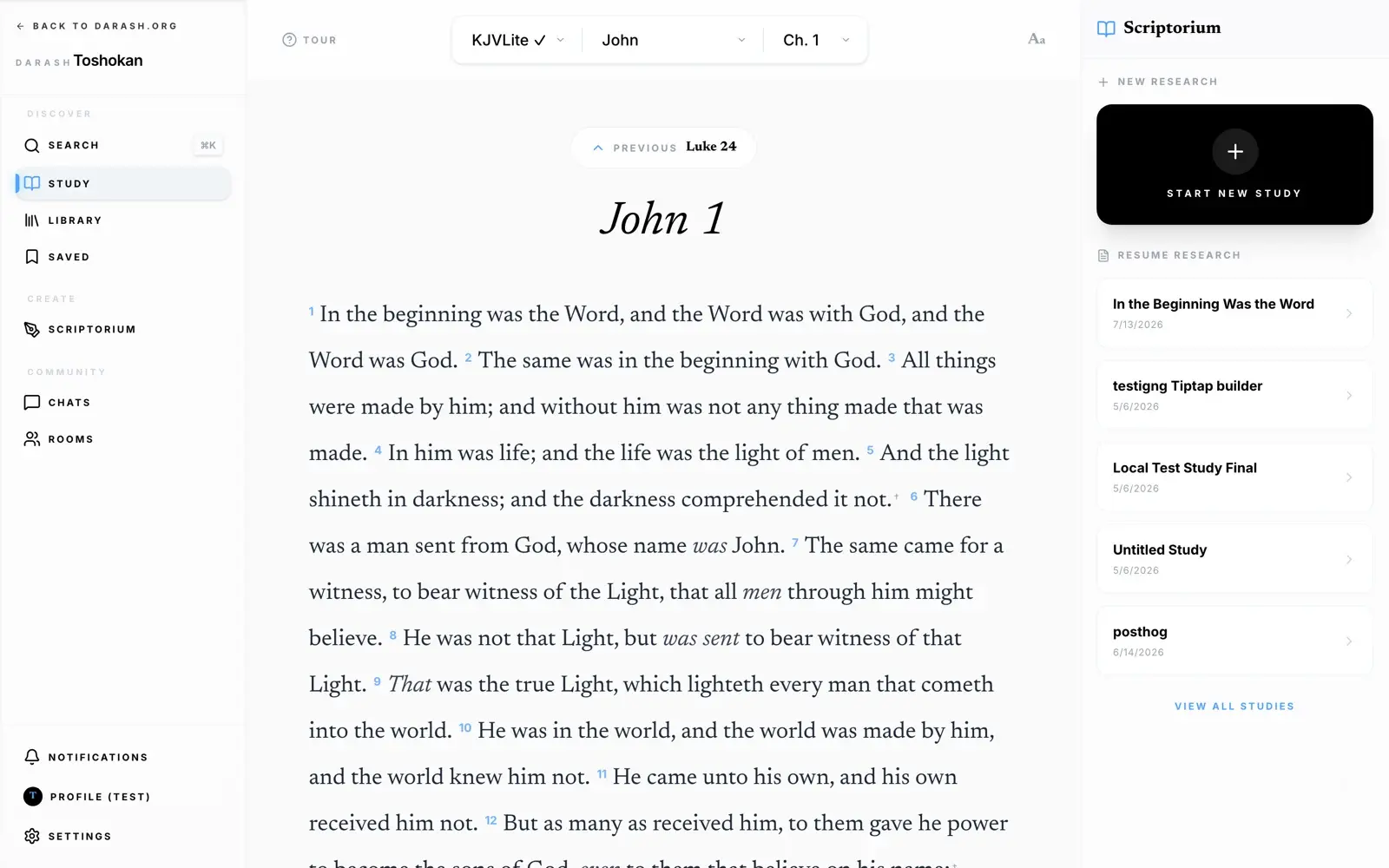
Choosing a translation
The three dropdowns at the top are version, book, and chapter. Ten translations ship with Toshokan, all public-domain or freely licensed:
| Version | Name | Year | |
|---|---|---|---|
| KJV Lite | King James, apparatus stripped | 1769 | Bundled |
| KJV | King James Version | 1769 | Carries Strong's |
| ASV | American Standard Version | 1901 | |
| YLT | Young's Literal Translation | 1898 | |
| BSB | Berean Standard Bible | 2020 | |
| WEB | World English Bible | 2000 | |
| BBE | Bible in Basic English | 1949 | |
| DBY | Darby Bible | 1889 | |
| GNV | Geneva Bible | 1599 | |
| DRC | Douay-Rheims (Challoner) | 1752 |
KJV Lite is already inside the app and reads with no connection at all. Every other version — including the full KJV that carries the lexicon — is a download, and each one can be kept on the device for offline use from Settings. See .
Moving through the text
The reader does not stop at the end of a chapter. Keep scrolling and the next one loads underneath, so a book reads as one continuous column; when you cross into a new book it announces itself with a title page. Scroll all the way to the end of Revelation and you get a printer’s mark instead.
Going backwards is a deliberate jump rather than an endless upward scroll:
- The Previous button above the chapter title takes you back one chapter, landing you at its end so the text reads continuously.
- On desktop, ← and → turn chapters.
- On a phone, swipe left for the next chapter and right for the previous one.
- Toshokan remembers where you stopped. Opening Study later drops you back on that chapter, at that scroll position — not at John 1.
Setting the page to your eyes
The Aa button opens the reading panel. It changes the page you are looking at as you touch the controls, so you can judge the result rather than imagine it.
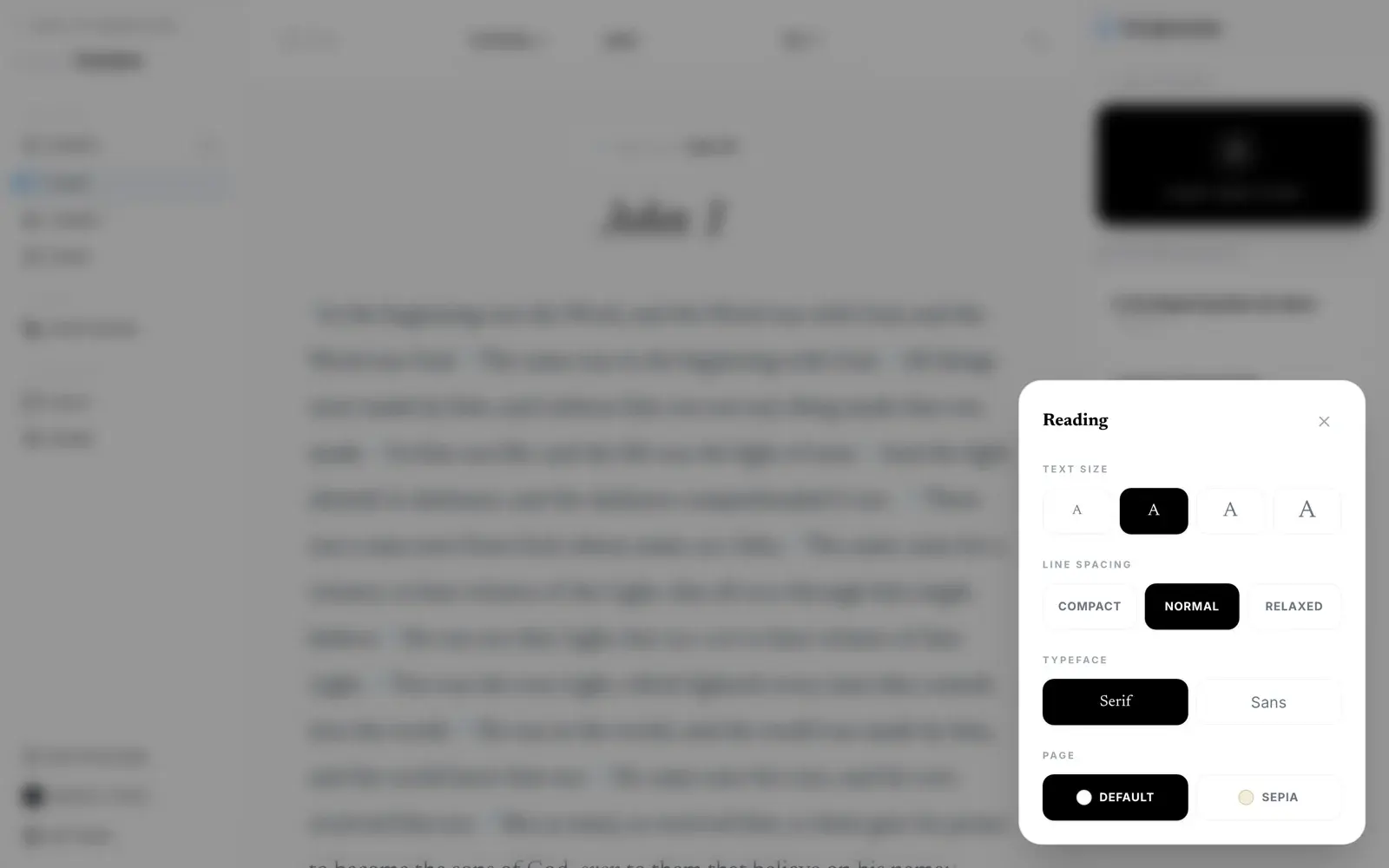
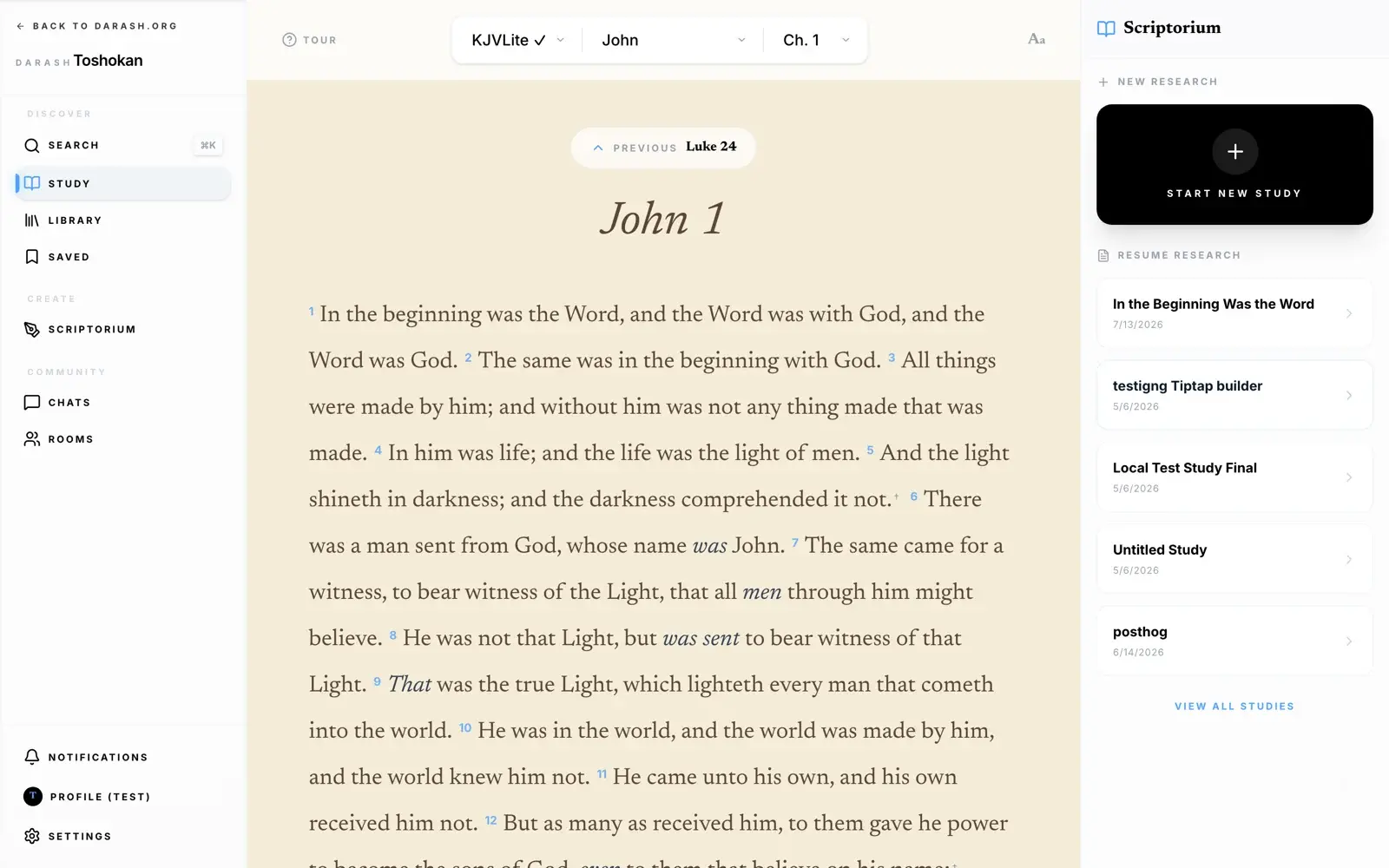
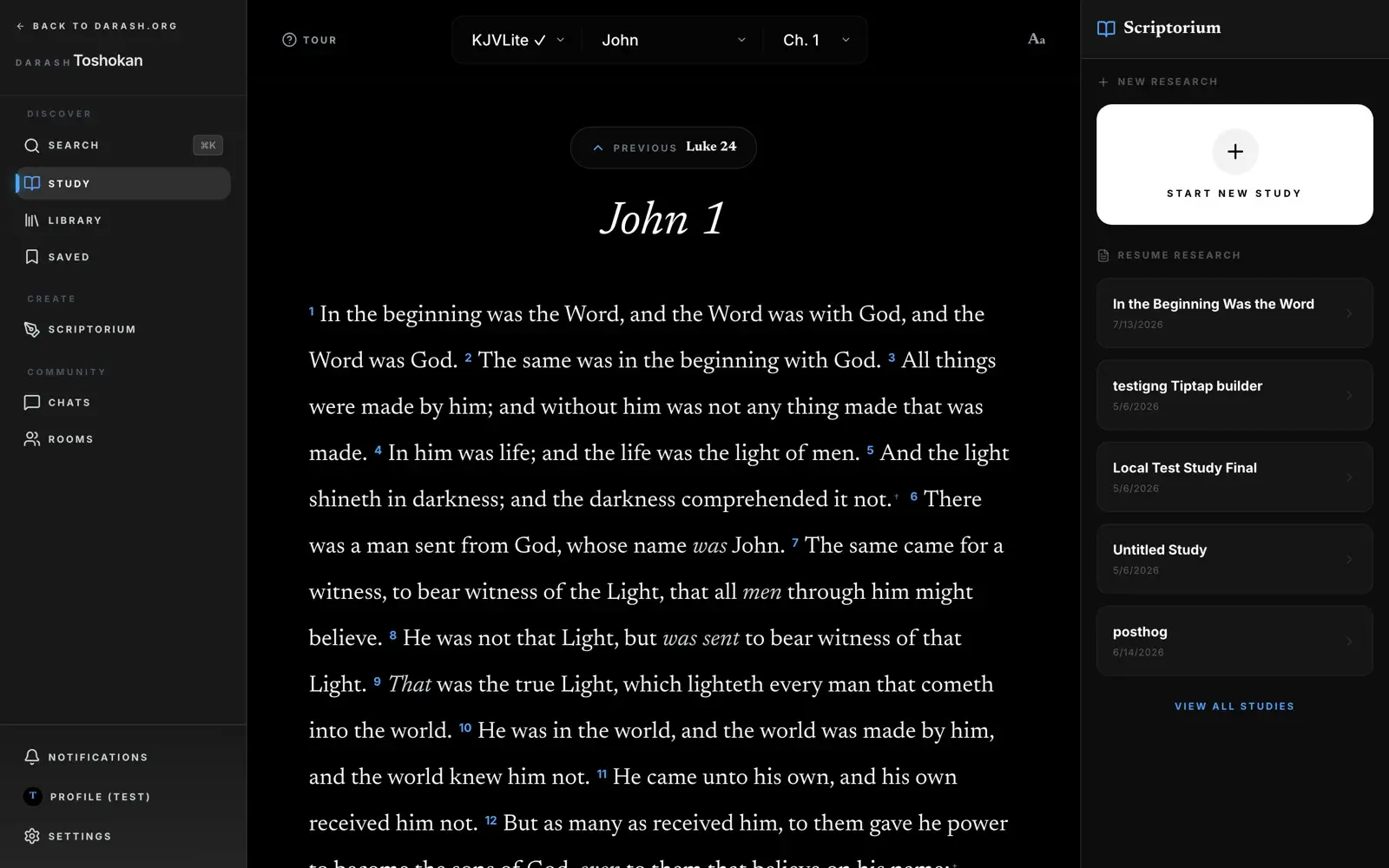
Four dials: text size (four steps), line spacing (compact, normal, relaxed), typeface (serif or sans), and page — default, or sepia for a warmer sheet that is easier on the eyes at night.
What a verse can do
Tap any verse — the number or the words — and a small bar appears over it. On desktop, hovering is enough.
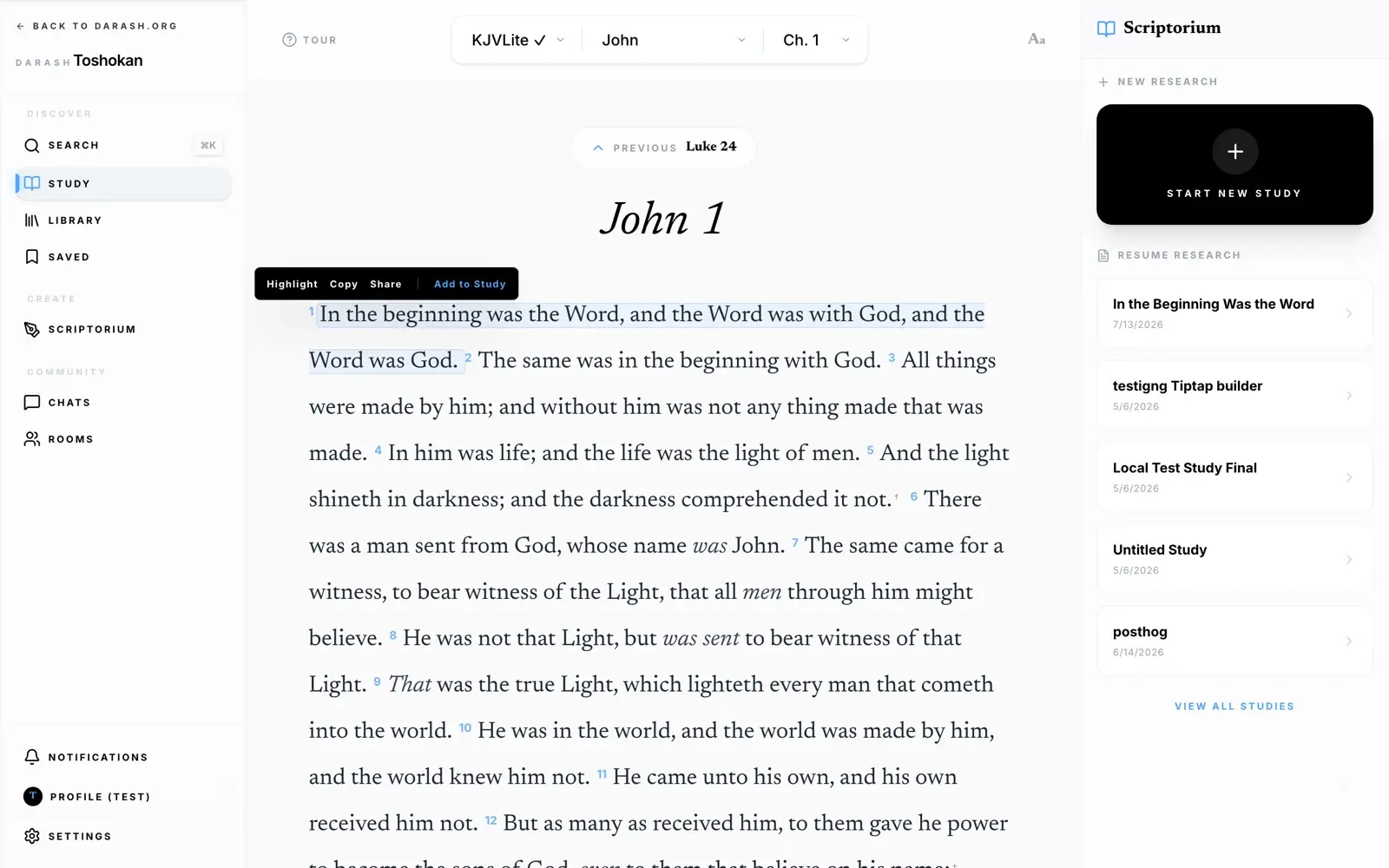
- Highlight — marks the verse and keeps it. Highlights are yours across devices and are collected under Saved.
- Copy — the verse text, clean: no Strong’s numbers, no footnote daggers.
- Share — sends the passage out as a typeset card rather than a bare link. See .
- Add to Study — drops the verse straight into your notes as a formatted scripture block. This is the hinge between the two halves of the app; it is covered in full under .
The Lexicon
Strong's Concordance, wired into the text. This is the feature that rewards slowing down.
Read the King James Version and every word carries a small number after it — G3056, H7225. That is Strong’s number for the Greek or Hebrew word the translators were rendering. Tap it.
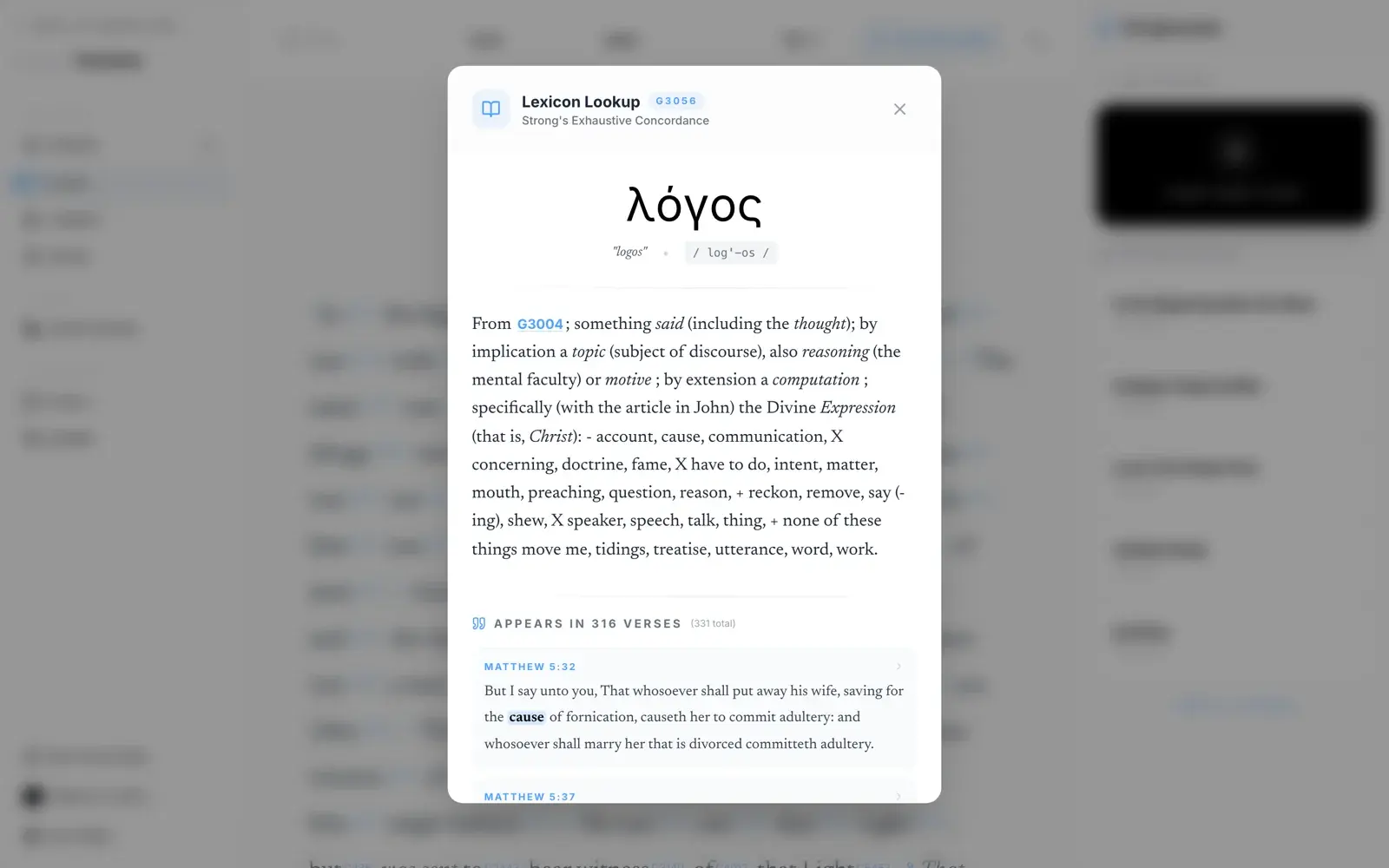
You get the original word set in its own script, a transliteration and a pronunciation, the root it derives from (itself tappable, so you can walk back up the etymology), and Strong’s full definition with the range of senses the word can carry.
Where else the word appears
Scroll the panel and the definition gives way to a concordance: every other verse in the Bible using that same original word, with the English rendering highlighted in place. This is what turns a definition into an argument — you can see whether a word means what a preacher says it means by reading the other 300 places it is used.
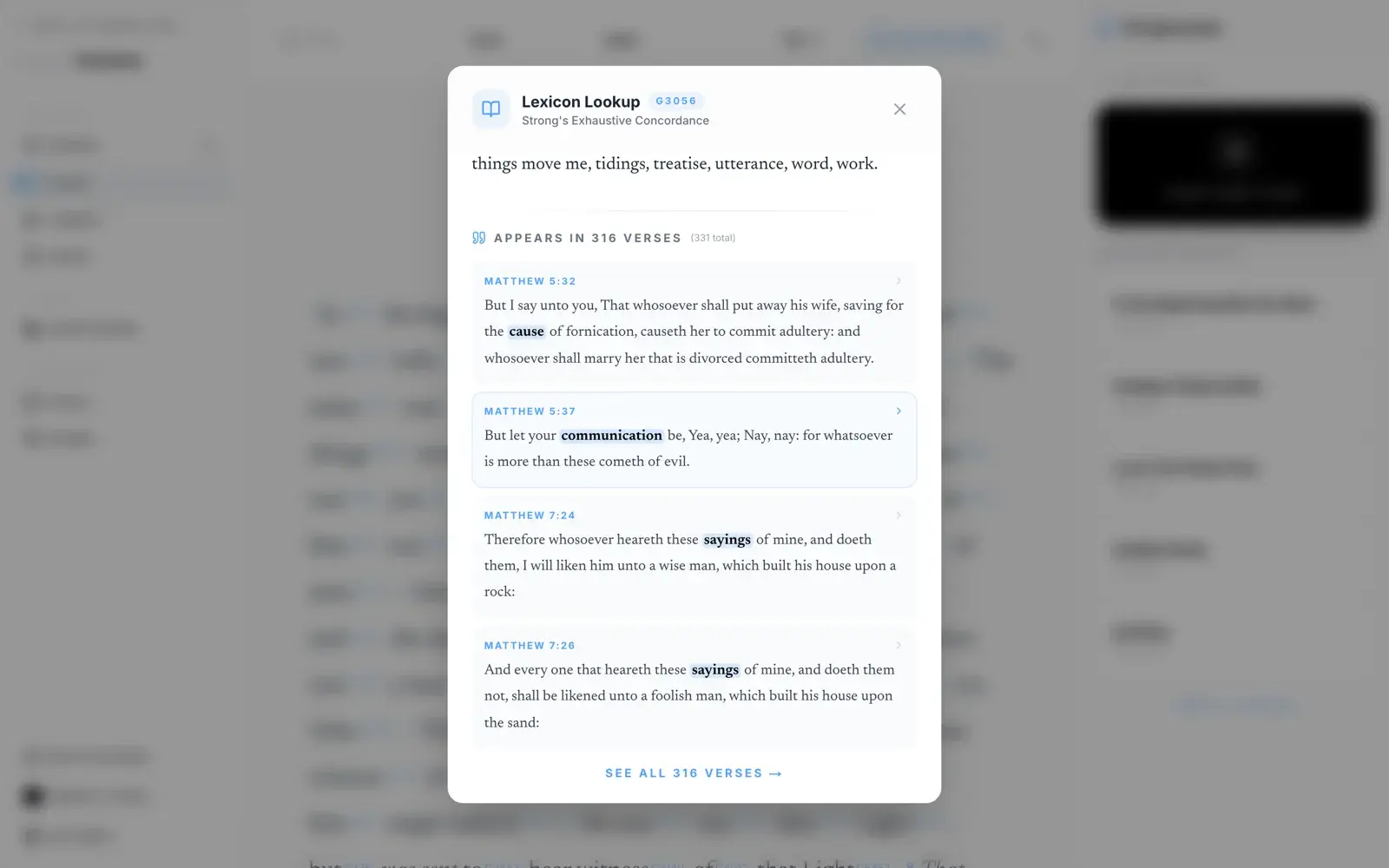
Tap a result to go straight to that verse in the reader.
The Scriptorium
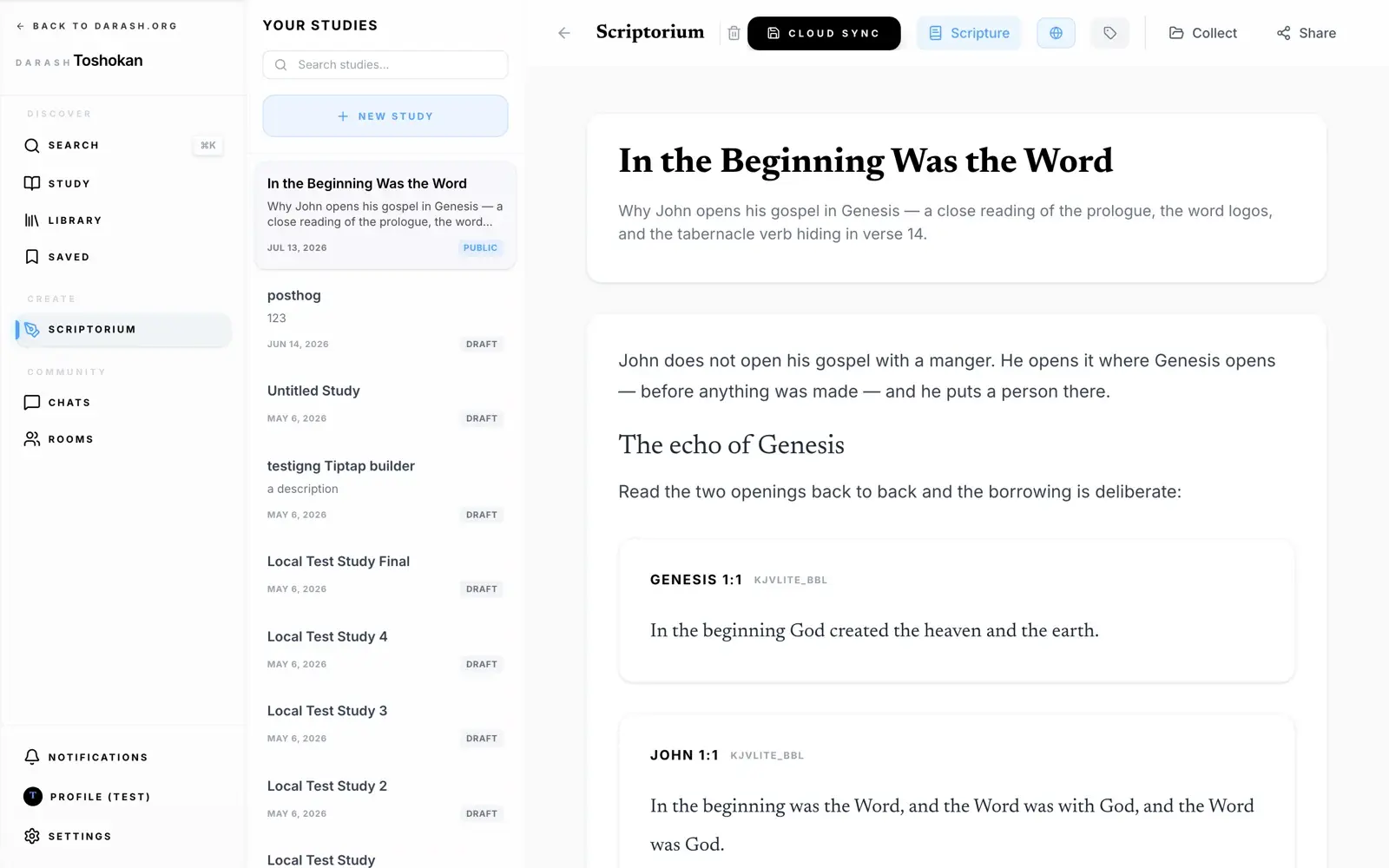
The other half of Toshokan. Not a notes field bolted onto a Bible app — an actual editor, which happens to know what a verse is.
Starting a study
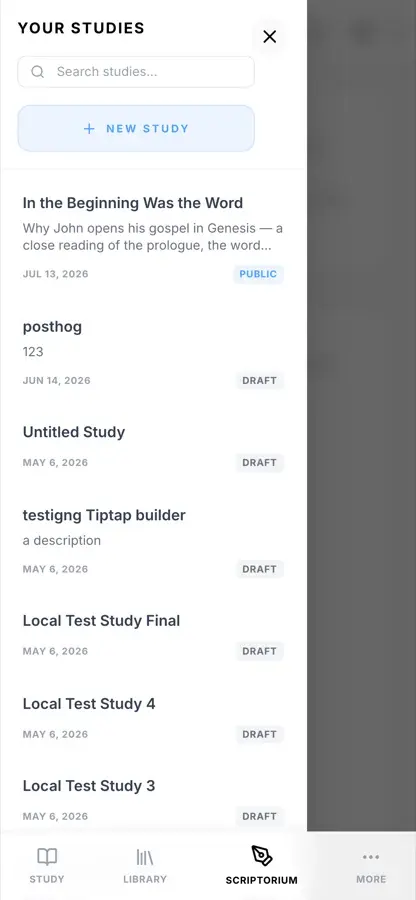
- 1Open Scriptorium. On a phone, your existing studies are behind the menu button in the top-left.
- 2Hit Start New Study (or the + above the list).
- 3Give it a title and a one-line description. The description is what people read on the card in the Library, so it is worth a sentence rather than a shrug.
- 4Write.
The editor
It behaves the way a modern editor should. Select text and a formatting bar appears over the selection; on a phone, the same controls ride above the keyboard so they are reachable with a thumb.
- Headings — two levels, for sectioning an argument.
- Bold and italic, for the usual reasons.
- Quotes — a set-in block for someone else’s words.
- Bulleted lists, for when the argument is really a list.
- Scripture blocks — the one thing a normal editor cannot do. Next section.
- Undo / redo, and a live word and character count in the corner.
Bringing notes in from elsewhere
Import takes text you have already written — a sermon draft, a page of notes from another app — and pours it into the editor rather than making you retype it.
Scripture in your notes
Three ways to get a passage into a study. They exist because there are three different moments at which you want one.
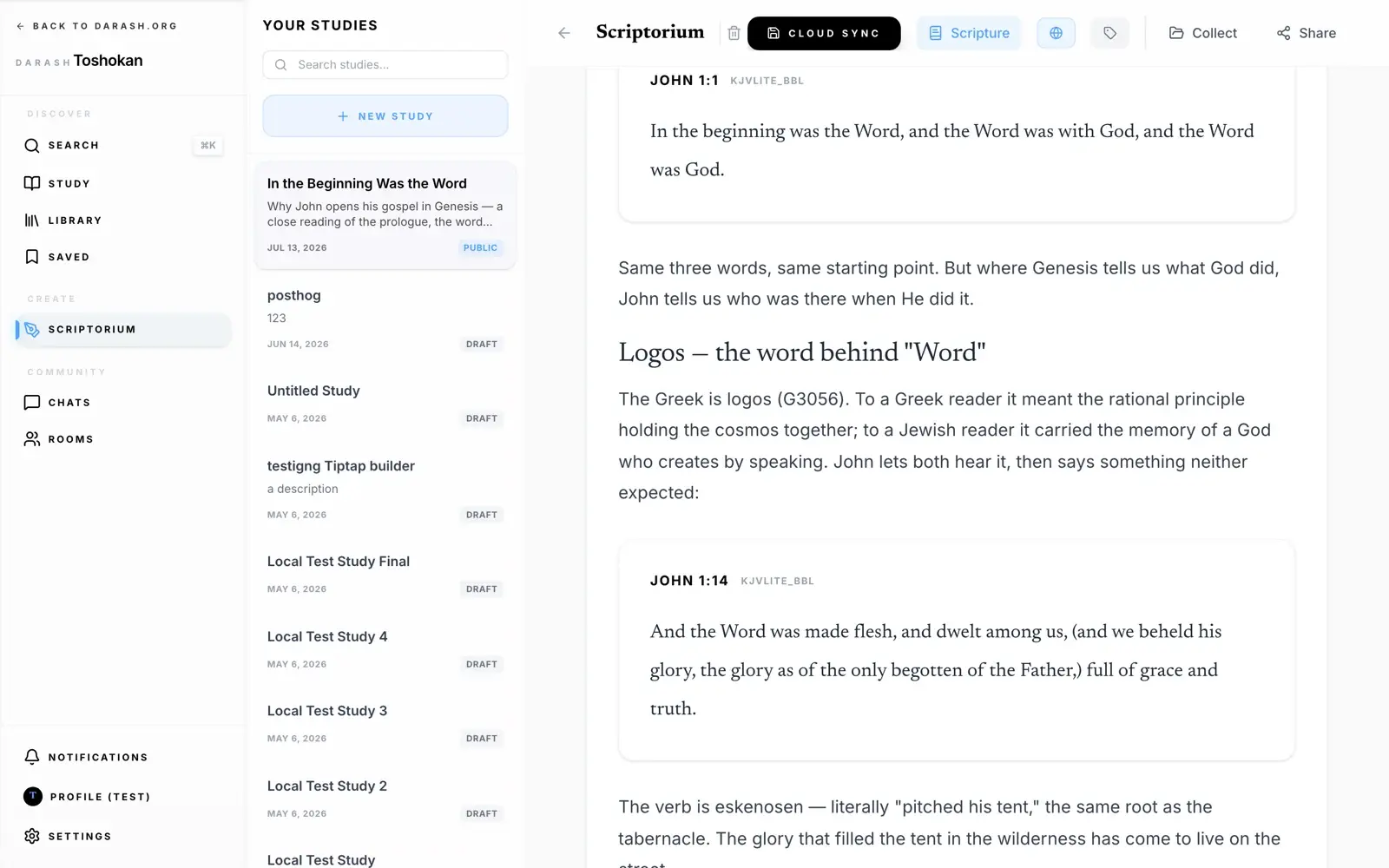
1. Type the reference
The fastest one, and the one worth learning. On a new line, type a forward slash followed by the reference, then press Enter:
The line dissolves and the passage arrives in its place, fully formatted, pulled from whichever translation you currently have selected. It is forgiving about how you write the reference: abbreviations (Phil, 1 Jn), singular and plural (Psalm or Psalms), spaces around the range dash, even a backwards range like 5-3.
2. The Scripture button
When you know roughly where you are going but not the exact verse, the Scripture button in the toolbar opens a picker: choose book, chapter, and a start and end verse, and read the passage before you commit it. Better for browsing than for speed.
3. Add to Study, from the reader
This is the one that changes how you work. You are reading — not writing — and a verse lands. Tap it, hit Add to Study, and it goes into your notes without you leaving the chapter.
On a wide screen the Scriptorium sits in a rail to the right of the text, and the verse visibly flies across into it. Whichever study is open in that rail is the one that receives the verse. On a phone — or when nothing is open yet — you get a chooser: pick the study it belongs to, or start a new one.
Saving, privacy & publishing
Nothing you write is public until you say so, and nothing you write is lost while you decide.
Saving happens on its own
There is no save button you have to remember. As you type, the study is written to your device immediately, and pushed to the cloud shortly after. The indicator in the header tells you which has happened:
Cloud Sync forces the push immediately, for when you want to watch it happen. Write on a plane with no signal and the work sits safely on the device; it syncs when you land.
Draft or public
The padlock in the toolbar is the privacy switch, and it starts closed. A draft is visible to you alone. Flip it and the study becomes public: it appears in the Library under your name, and anyone with the link can read it. Flip it back at any point and it withdraws.
Topics and collections
Topics — the tag button — files a study under subjects like Prayer or Identity in Christ, which is how readers filter the Library.
Collect adds it to a series: an ordered set of studies meant to be read in sequence. Build one from studies you have already written, or start a series from the study you are in.
Getting it out
Export renders the study — embedded passages and all — as a typeset PDF you can print or hand out. Share gives you a link that unfurls as a proper card wherever you paste it.
The Library
Where published studies live — the ones you wrote and the ones you didn't.
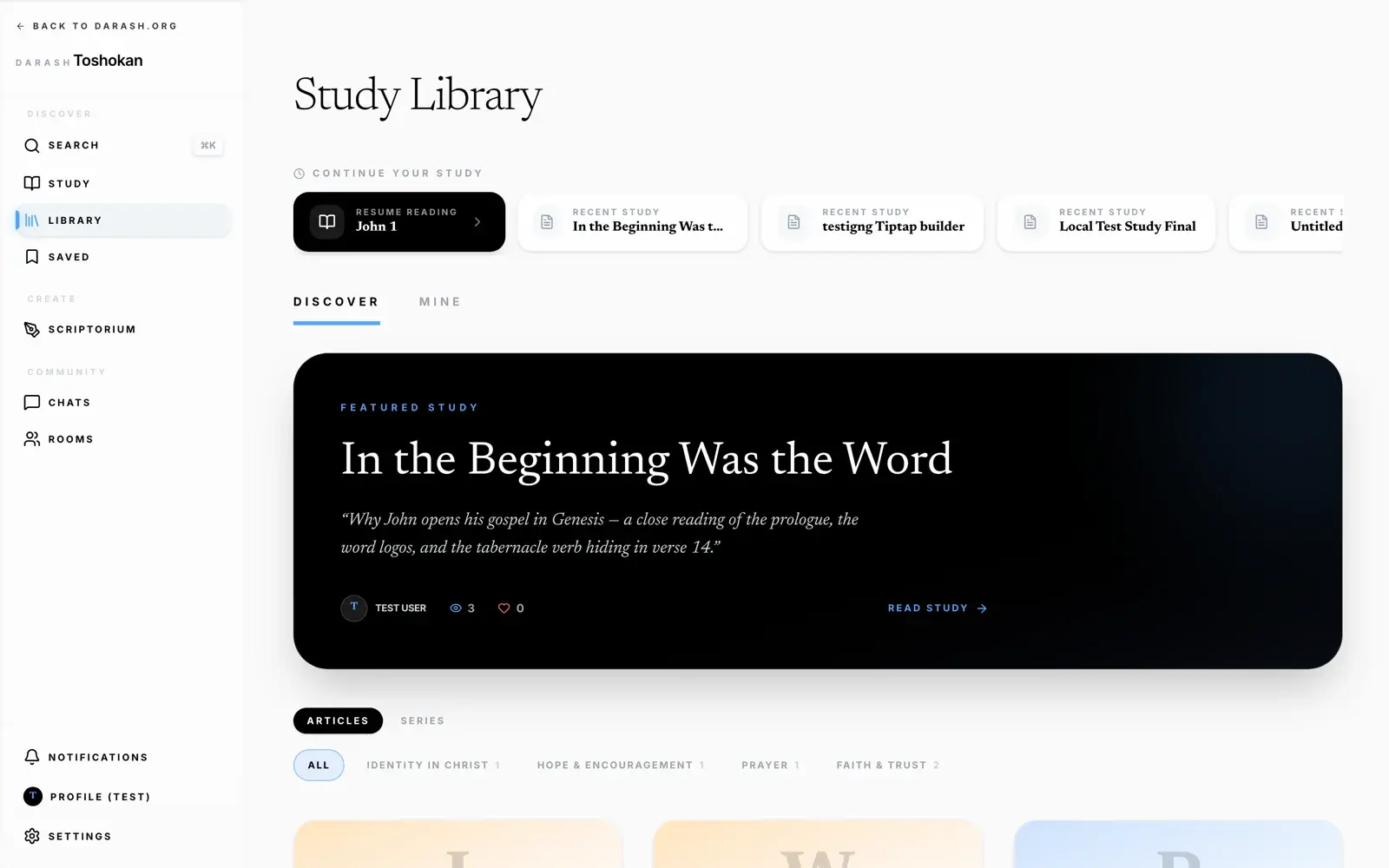
Discover is everyone’s work; Mine is yours. Continue your study across the top picks up the chapter you were last reading and the studies you were last editing. Below that, studies can be filtered by topic, and Series shows the multi-part sets.
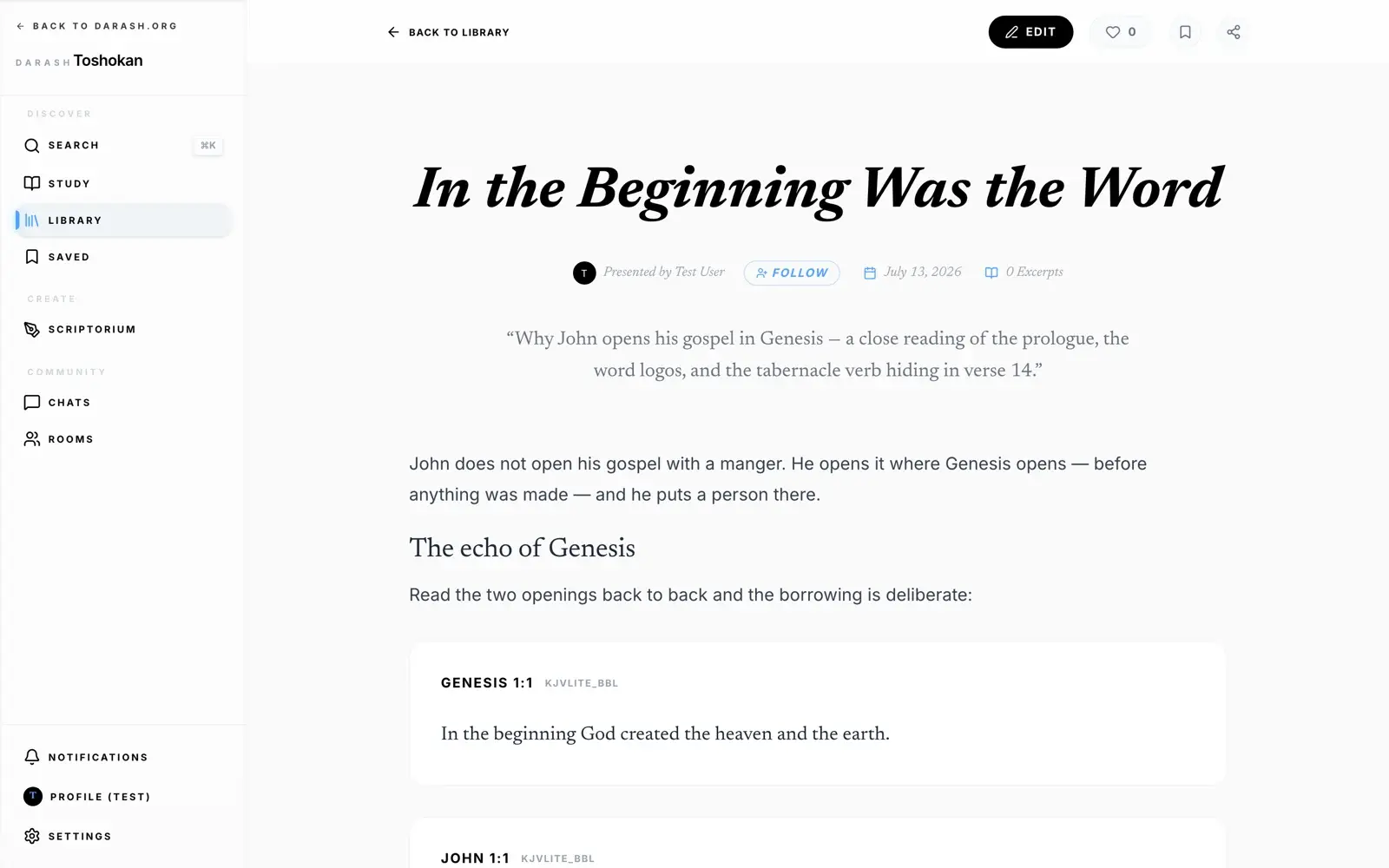
Reading someone else’s study, you can like it, bookmark it into Saved, comment underneath, or follow the author so their next one finds you. A series lays out its parts in order with the next one always a tap away.
Offline & storage
Toshokan is built to work in a room with no signal.
The King James text — KJV Lite, the same translation with the apparatus stripped out — is inside the app. Not cached: bundled. It reads with the aeroplane mode switch on, on a device that has never been online.
Downloading the rest
Every other translation is a download, taken from Settings → Bible & storage, which lists each version with its size and lets you add or remove it. Most are around 5 MB. Take what you need; delete what you don’t.
Your writing
Study notes save to the device as you type and sync when a connection returns, so writing offline is not a special mode — it is just what happens when there is no signal. Highlights behave the same way.
Chats
For when a text is better worked through with other people.
Chats are direct conversations with one other person. Scripture and studies dropped into a chat unfurl as readable cards rather than naked links, messages take reactions, and you can reply to any single message to keep a thread straight. Group rooms are coming.
Shortcuts & gestures
Worth the thirty seconds it takes to learn them.
- ⌘K
- Search, from anywhere
- ← →
- Previous / next chapter
- /John 3:16 ↵
- Insert a passage while writing
- Hover a verse
- Reveal its actions
- Swipe left / right
- Next / previous chapter
- Tap a verse
- Reveal its actions
- Pull down
- Refresh the list
- Tap a Strong’s number
- Open the lexicon